Suno Creator Guides · 9 min read ·
How to Turn One Suno Song Into 10 TikToks, Reels, and Shorts
Use one Suno song to build ten purposeful short-form video variations by changing hooks, lyric moments, visuals, pacing, and post context.
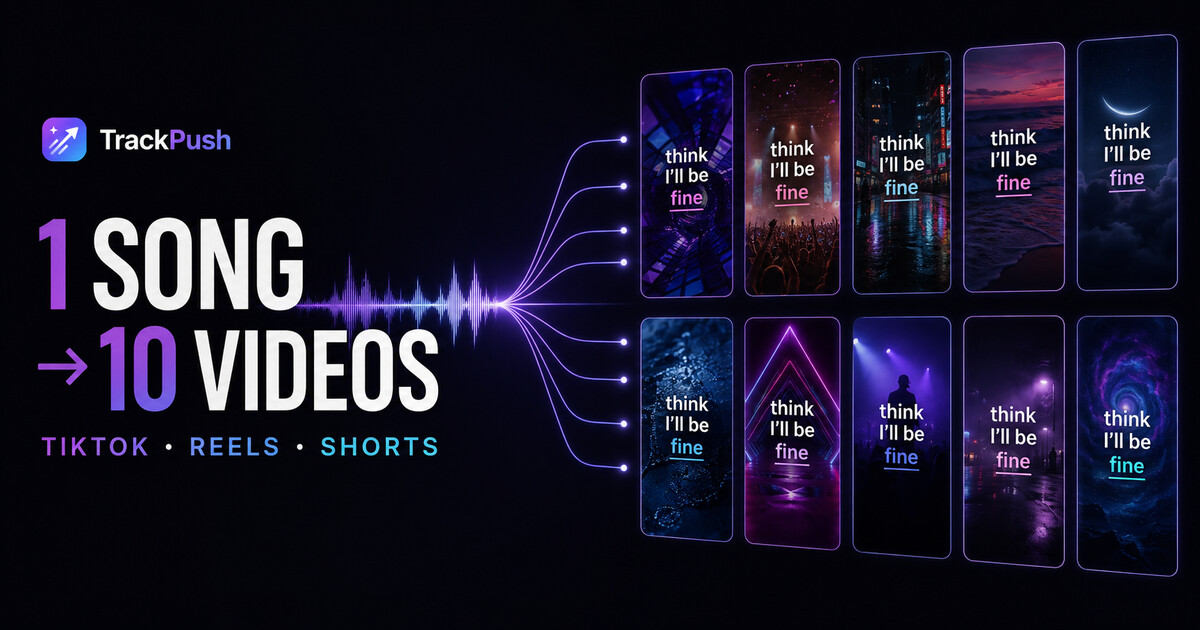
One finished Suno song can support more than one announcement post.
The useful goal is not ten copies of the same video. It is ten controlled variations that test different lyrics, hooks, visuals, and lengths while keeping the campaign recognizable.
TrackPush is designed for this repeated workflow: build or choose a visual theme once, upload the song, add synchronized lyrics, and generate variations without rebuilding a timeline for every post.
TrackPush is not affiliated with or endorsed by Suno. Use only songs and assets you have permission to publish.
Why make ten videos from one Suno song?
The creator usually knows the whole song. A new viewer hears only the section that happens to appear in one post.
Different viewers may react to:
- The chorus
- A vulnerable verse
- A surprising line
- The beat drop
- A relatable text hook
- A particular visual mood
One post tests one combination. A batch tests several reasons to care.
Start with three song moments
Before generating anything, choose:
- The obvious hook: usually the chorus or title line
- The emotional hook: the lyric that feels most personal or quotable
- The musical hook: a drop, switch, vocal run, or production moment
Each moment should make sense without hearing the previous minute of the song.
If you still need the basic setup, follow how to make a lyric video for a Suno song first.
Build one reusable visual world
Collect or choose clips that share a mood. A campaign feels intentional when the visuals have related colors, motion, or subjects.
Examples:
- Neon streets and night driving
- Ocean, clouds, and sunset footage
- Studio and performance clips
- Dark rooms and slow camera movement
- Concert crowds and strobes
- Abstract textures and loops
Create your own TrackPush theme or browse public themes.
The 10-video Suno content matrix
Video 1: clean chorus
Use the strongest chorus line with synchronized lyrics and no additional hook text. This becomes the control version.
Video 2: chorus with story context
Use the same song section and visuals, but add one short line explaining what inspired it.
Example: "I turned the text I never sent into a chorus."
Video 3: chorus with a question
Use a question that invites an opinion without begging for engagement.
Examples:
- "Would you release this version?"
- "Which genre does this sound like?"
- "Does the second line hit harder?"
Video 4: strongest verse lyric
Move away from the obvious chorus and test the most specific or vulnerable line in the verse.
Video 5: musical switch or drop
Let the production lead. Use faster clip changes or a higher-energy theme while keeping only the essential lyric on screen.
Video 6: alternate visual theme
Keep the strongest lyric unchanged and switch the visual world. This helps reveal whether the mood of the footage changes retention.
Video 7: new first frame
Keep the song section and theme but force a different opening clip. The first visual can influence whether the viewer stops before the lyric arrives.
Video 8: seven-second cut
Use the shortest complete idea in the song. A compact edit can work when one lyric or production moment resolves quickly.
Video 9: longer chorus cut
Give the same idea more breathing room. Do not assume the shortest version always wins; compare watch behavior.
Video 10: release or story CTA
Use the proven song moment and add a clear next step:
- "Full song in bio"
- "Should this be the next release?"
- "Part two is the darker version"
- "I made three endings—this is number one"
What should remain consistent?
Keep these stable across most of the batch:
- The song's visual identity
- Caption font and color system
- Artist name or brand treatment
- Vertical format
- Overall footage quality
Change only a few variables per video. If every element changes at once, you will not know why one version performed better.
Use per-video hooks carefully
TrackPush can support different hook text for videos in a batch. Write hooks that create context for the exact lyric underneath them.
Weak hook: "New song out now."
Stronger hook: "The line I wrote after pretending I was over it."
The stronger version tells a stranger why the lyric may matter.
Review lyrics before starting the batch
Fixing one transcript is faster than discovering the same mistake in ten exports.
Before batch generation:
- Listen through the selected section
- Correct names, slang, and unusual words
- Check phrase timing
- Confirm caption placement
- Preview platform safe areas
If the AI vocal is difficult to transcribe, use the Suno caption troubleshooting guide.
Do not publish all ten at once
Batch generation is a production method, not a posting command.
Spread the versions across the campaign. You might use:
- Teaser week: three lyric moments
- Release day: strongest proven version
- Week after release: story, question, and alternate visual posts
- Later: short cut, longer cut, and behind-the-song context
You can also test different versions on TikTok, Reels, and Shorts instead of posting every version to every platform on the same day.
Measure the variable you changed
Compare more than views:
- Average watch time
- Completion rate
- Replays
- Saves
- Shares
- Comments about a lyric
- Profile visits
- Link clicks
If the same lyric wins across different visuals, the lyric may be the signal. If one visual theme improves several song sections, expand that theme.
Rights still apply to every variation
Making more versions does not expand your rights. Confirm that the Suno song, lyrics, visuals, and any artwork can be used for your intended purpose.
Suno's current guidance distinguishes between songs created on Basic and songs created while subscribed to Pro or Premier. Read whether you can monetize Suno lyric videos before treating the campaign as commercial content.
Frequently asked questions
Will ten videos look duplicated?
They can if you change nothing meaningful. Vary the lyric, hook, first frame, visual order, theme, or length while keeping the campaign identity consistent.
Do I need ten different themes?
No. One theme with enough related clips can produce multiple combinations. Use an alternate theme as a deliberate test, not as a requirement for every post.
Should I use the same chorus repeatedly?
You can. Reusing the strongest section with different hooks or visuals helps isolate what presentation works best.
Does TrackPush generate ten videos at once?
Batch generation is available on eligible TrackPush plans. You can also create single variations one at a time while refining the campaign.
Turn one finished song into ten chances to connect
A Suno song is the creative asset. The content campaign is how people encounter it.
Choose three strong moments, build one visual world, correct the lyrics once, and vary the reason someone should stop. That gives the song ten purposeful opportunities instead of one generic announcement.
Open the TrackPush bulk lyric video maker, or begin with the main Suno lyric video maker guide.