Music Business · 8 min read ·
How to Calculate Your Real Pay Per Stream From a Royalty CSV
Generic streaming calculators use industry averages. Learn how to calculate your own historical effective pay per stream from a distributor royalty report and use it for better estimates.
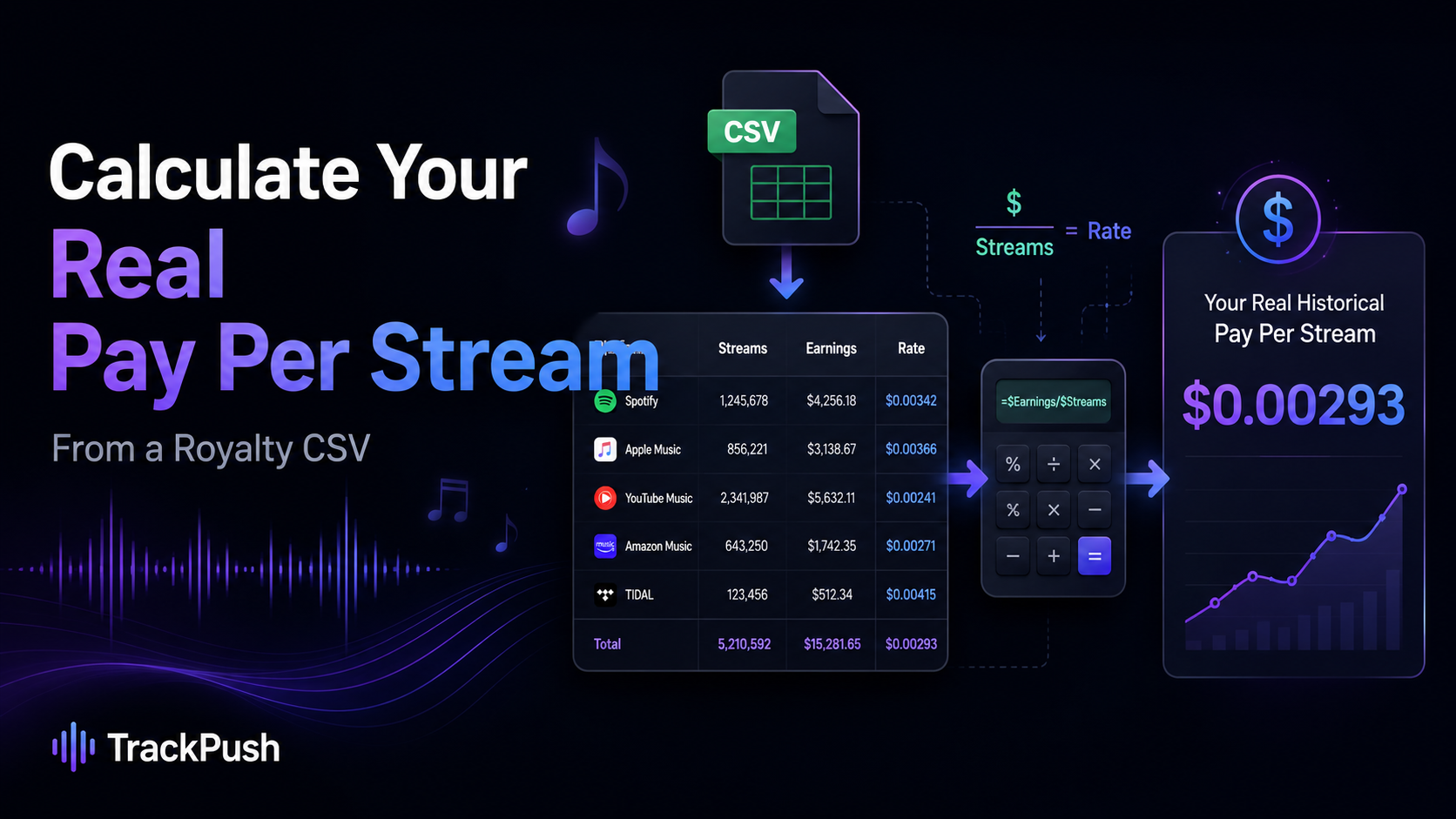
Most streaming royalty calculators start with an industry-average payout range. That is useful for a quick estimate, but it cannot know what your catalog actually earned.
If your distributor gives you a CSV royalty report with the streaming platform, number of streams or units, and earnings, you can calculate a historical effective payout per stream for your own music.
That gives you a more personal planning number than a generic Spotify or Apple Music average.
TrackPush lets signed-in artists upload a compatible distributor royalty CSV privately and use those historical rates inside the free Music Streaming Royalty Calculator.
What does effective pay per stream mean?
Your effective payout per stream is simply:
royalty earnings ÷ streams = historical effective rate per stream
For example, imagine a statement shows:
- 100,000 Spotify streams
- $360 in recorded-music royalties
Your historical effective Spotify rate for that statement would be:
$360 ÷ 100,000 = $0.0036 per stream
That does not mean Spotify promises to pay you $0.0036 for every future stream. It means that, for the activity represented in that report, your effective rate worked out to that amount.
Why your own royalty report can be more useful than an average
A public calculator has to use broad planning ranges because payouts vary.
Your statement may reflect factors such as:
- listener countries
- subscription and ad-supported listening mix
- platform revenue pools
- your distributor terms
- your rights ownership
- the reporting period
- adjustments or other statement-specific accounting
That is why two artists with the same number of streams can receive different effective payouts.
A generic estimate answers:
“What might this many streams be worth?”
Your historical CSV can help answer:
“What have my streams historically been worth through my distributor?”
That second question is often more useful when planning your next release.
What columns do you need in the CSV?
The exact column names vary by distributor, but the useful fields are usually:
- Platform or store — Spotify, Apple Music, YouTube Music, Amazon Music, TIDAL, Deezer, Pandora, etc.
- Streams, units, or quantity — how much usage was reported.
- Earnings, net royalty, or amount — what the statement says you earned.
TrackPush can map these fields when you upload a compatible royalty report. If a distributor uses unusual column names, you can review the mapping before the calculation is saved.
Why a weighted rate matters
If your report contains several rows for the same platform, do not simply average the row-level rates.
A better method is to calculate:
total platform earnings ÷ total platform streams
Suppose your Spotify rows are:
Streams · Earnings
10,000 · $28
90,000 · $342
A simple average of the two row rates can distort the result because the rows represent very different amounts of listening.
Instead:
$370 total earnings ÷ 100,000 total streams = $0.0037 per stream
That is the weighted historical rate.
How TrackPush personalizes the royalty calculator
The public TrackPush calculator works without signup and shows estimated ranges for major streaming services.
If you want a more personal model:
- Create a free TrackPush account.
- Open the Streaming Royalty Calculator.
- Upload your distributor royalty CSV.
- Confirm the platform, streams, and earnings columns.
- TrackPush calculates your weighted historical rate by supported platform.
- Your saved rate replaces the generic range when you calculate future stream or revenue targets.
The personalized rate also works in reverse. If your historical Spotify rate is known, you can enter a revenue goal such as $1,000 and estimate how many streams would be needed using your own historical rate rather than only a generic industry range.
Example: generic estimate vs your historical estimate
Imagine you want to estimate what 500,000 future Spotify streams could be worth.
A generic calculator may show a broad range based on published industry estimates.
But if your own statement history produced an effective rate of $0.0037 per stream, your personal planning estimate would be:
500,000 × $0.0037 = $1,850
That is still not a guaranteed future payout. Your listener mix, reporting period, and platform economics may change. But it is grounded in your own historical statement data.
Can you upload a LANDR royalty CSV?
Yes. TrackPush supports a LANDR-style royalty report workflow and can also work with compatible distributor CSVs that contain the required platform, usage, and earnings information.
Your uploaded royalty report is stored privately under your account. The calculator uses the resulting historical rates to personalize estimates.
What if your report does not include streams?
Some distributor statements contain revenue rows that do not map cleanly to a stream count. Those rows cannot produce a meaningful per-stream rate without a usable quantity field.
Do not force every royalty line into a per-stream calculation. Downloads, Content ID revenue, adjustments, publishing income, or other royalty types may follow different economics.
Use the rate model for rows where the statement genuinely gives you both usage and earnings that belong together.
What should artists track over time?
Instead of treating one report as permanent, compare multiple reporting periods.
Useful questions include:
- Is my Spotify effective rate rising or falling?
- Which platform historically pays my catalog more per stream?
- Is the listener-country mix changing?
- Are total streams growing faster than revenue?
- Does one release have a materially different effective rate?
TrackPush Artist Finances can keep royalty-report data alongside release and marketing-spend tracking so you can look beyond a single estimate.
Related streaming royalty calculators
You can also use dedicated TrackPush calculators for Spotify, Apple Music, YouTube Music, Amazon Music, TIDAL, Deezer, and Pandora.
For more context, read How Much Does Spotify Pay Per Stream in 2026? and How Much Do 1 Million Streams Pay?.
Use your own history as the starting point
No streaming calculator can guarantee a future payout. But if you already have royalty statements, you do not have to rely only on industry averages.
Use the TrackPush Music Streaming Royalty Calculator for a quick estimate, then upload your royalty CSV to replace generic ranges with historical effective rates calculated from your own distributor data.