Suno Creator Guides · 8 min read ·
How to Fix Wrong or Out-of-Sync Lyrics in a Suno Video
Fix transcription mistakes, delayed captions, layered vocals, and phrase timing when turning a Suno song into a lyric video.
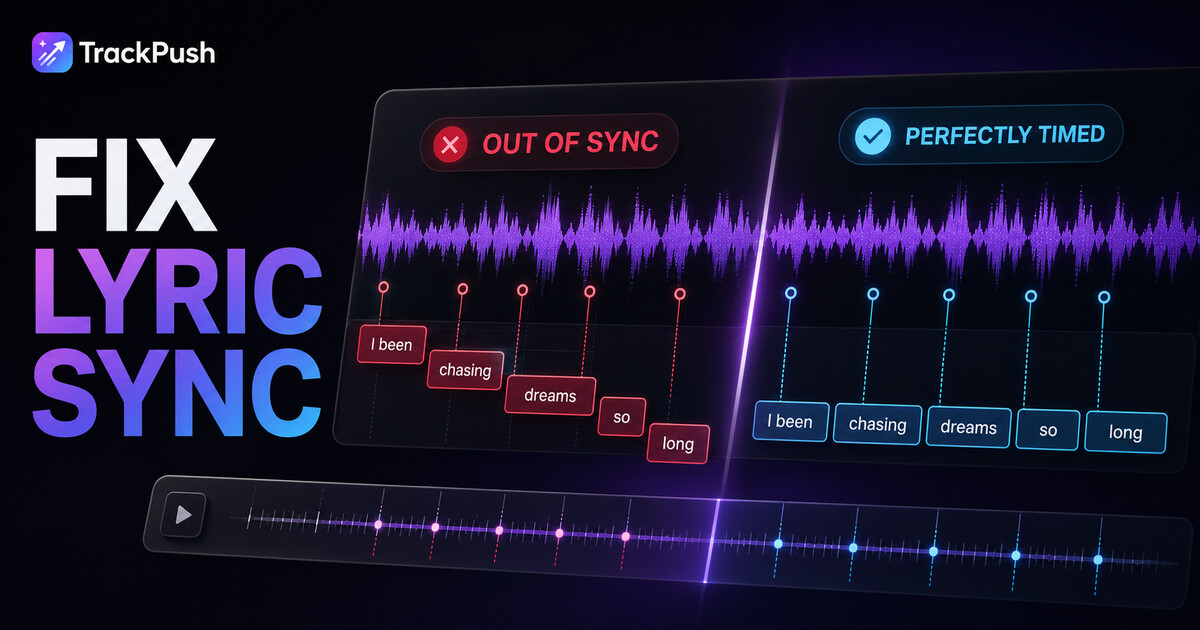
AI-generated singing can be harder to caption than ordinary speech. A Suno vocal may stretch a word across several beats, layer harmonies behind the lead, pronounce a name unexpectedly, or add ad-libs that were not in the intended lyrics.
That does not mean the lyric video has to stay wrong. Use automatic transcription as the first pass, then correct the text and timing before generating the final video.
TrackPush is not affiliated with or endorsed by Suno.
Why Suno lyrics may transcribe incorrectly
Speech-to-text systems try to identify words from sound. Singing changes many of the clues those systems expect.
Common causes include:
- Sustained vowels
- Heavy reverb or delay
- Doubled lead vocals
- Harmonies at similar volume
- Quiet words under loud instruments
- Ad-libs overlapping the main line
- Invented names or slang
- Deliberately unusual pronunciation
- Abrupt genre effects or vocal chops
The intended written lyric may also differ from what the generated singer actually performs. Caption what the listener can hear unless the artistic choice requires otherwise.
Start with the cleanest audio file
Download the finished version directly from your own Suno Library. Suno's download instructions explain the current menu.
Avoid transcribing a screen recording, a recording played through speakers, or a file that has been compressed several times. Extra noise and compression can make ambiguous words harder to identify.
Suno currently provides MP3 downloads on Basic and WAV downloads to Pro and Premier users through the desktop website. Use the best source available under your plan.
Compare the transcript with the intended lyrics
Keep the lyrics you wrote or generated nearby. Play one phrase at a time and check:
- Exact words
- Repeated words
- Contractions
- Names
- Slang
- Profanity
- Which harmony should appear
- Whether an ad-lib belongs on screen
Correct spelling before correcting timing. It is easier to judge synchronization when the line itself is accurate.
Fix one wrong word
If the timing is correct and only one word is wrong, edit the phrase rather than re-transcribing the entire song.
For example:
Detected: "I drove past your street again"
Intended: "I drove past our street again"
Change the word, replay the phrase, and confirm the edited text still fits the vocal timing.
Fix a phrase that appears too early or too late
Play the preview and focus on the first syllable of the phrase.
If the caption appears before the singer begins, move the phrase later. If the singer starts before the text arrives, move it earlier.
Use small adjustments. Large jumps can fix the first word while making the end of the line feel disconnected.
Split captions that stay on screen too long
A long lyric line can become hard to read on a phone. It may also remain visible across a musical pause.
Split the idea at a natural boundary:
- End of a sentence
- Breath
- Rhythmic pause
- Rhyme
- Change in melody
Keep enough words together that the phrase still makes sense. One word per screen can feel frantic unless you are deliberately using a karaoke-style effect.
Handle layered choruses
Choose the vocal that carries the main meaning. Trying to caption the lead, harmony, background response, and ad-libs simultaneously can make the screen unreadable.
A practical hierarchy is:
- Main lead lyric
- Important response phrase
- Recognizable ad-lib only if there is room
If the background phrase is important, consider making a second video focused on that moment rather than stacking every line into one edit.
Retranscribe when the whole section is wrong
Use a fresh transcription when:
- Most lines contain errors
- The phrase boundaries are unusable
- The selected file was the wrong version
- The audio quality was poor
- You changed the song master
Remember that re-transcribing may replace previous edits. Save or note important corrections before starting over.
Improve readability after timing is correct
Synchronization is only part of caption quality. Test the video on a phone-sized preview and check:
- Text contrast against every clip
- Font weight
- Outline or shadow
- Caption size
- Line length
- Position relative to interface controls
If a bright clip makes white lyrics disappear, use an outline or choose a different color. If the frame is visually busy, simplify the background or move the lyric to a calmer area.
Use hook text without crowding the lyric
TrackPush can display a separate hook overlay. Keep it visually distinct from the synchronized lyrics.
For example:
Hook: "The line Suno almost pronounced perfectly"
Lyric: the actual timed phrase
Place them far enough apart that the viewer understands which text is context and which text is being sung.
Check the three problem zones
Before export, listen carefully to:
The first line
The transcription may start late if there is noise or a soft vocal entrance.
The chorus
Layered voices and louder production can create word substitutions or poor phrase boundaries.
The ending
Reverb tails, repeated words, and fading ad-libs can leave captions on screen too long.
A fast quality-control checklist
Before generating multiple versions:
- Play every selected lyric section
- Correct all obvious words
- Check the first syllable of each phrase
- Split overly long captions
- Remove unhelpful ad-libs
- Test contrast over the visuals
- Check top and bottom safe areas
- Export one version before starting a batch
Correct the transcript once, then reuse that reliable setup across your variations.
Frequently asked questions
Why does AI transcription miss Suno lyrics?
Singing stretches and overlaps sounds differently from normal speech. Reverb, harmonies, ad-libs, and unusual pronunciation add ambiguity.
Should captions show the written lyric or what Suno actually sings?
Usually caption what the listener can hear. If the generated performance changes a word, displaying a different written word can feel out of sync even when the timing is correct.
Can I paste the lyrics instead of transcribing?
Written lyrics solve spelling but do not automatically provide timing. You still need the words aligned to the vocal performance.
Should I re-transcribe every time I generate a variation?
No. Once the transcript and timing are correct for that audio, reuse the setup when changing visuals or hooks.
Correct once, reuse many times
The expensive mistake is not one inaccurate caption. It is generating an entire batch before noticing it.
Start with the cleanest Suno file, compare the transcript with the intended lyrics, fix text before timing, and review one complete export. Then use the corrected version to create the rest of the campaign.
Follow the full Suno lyric video maker guide, learn how to create the first Suno lyric video, or open TrackPush to begin.