Music Marketing · 9 min read ·
QR Code Best Practices for Music Posters and Flyers
Make music-poster QR codes easier to scan with the right size, contrast, quiet zone, destination, placement, and print-testing workflow.
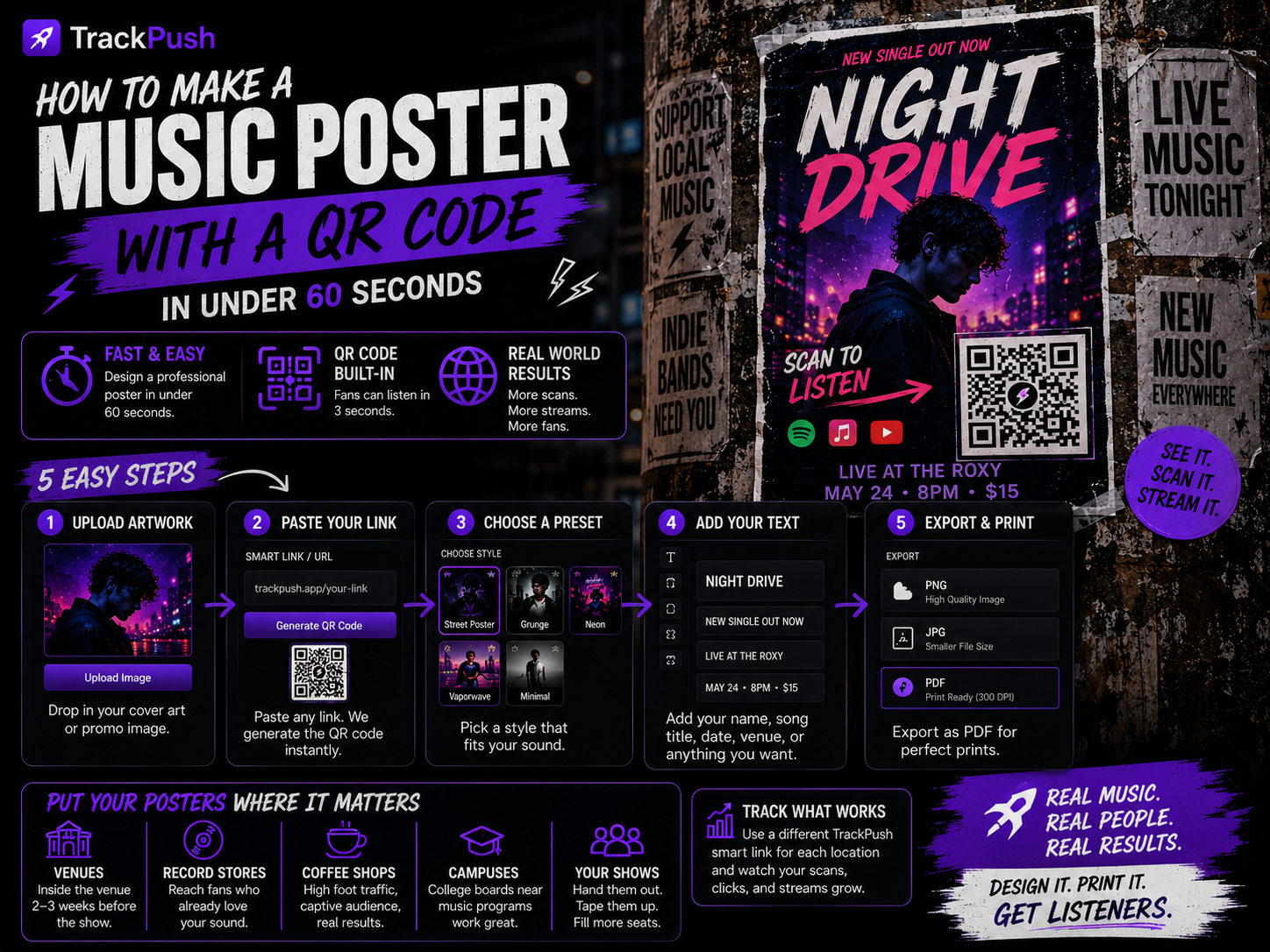
A QR code can make a printed music poster measurable and useful. It can also fail because it is too small, too crowded, low contrast, linked to the wrong page, or never tested after printing.
Use this checklist before you print a poster, flyer, merch insert, table card, or street campaign.
1. Choose one useful destination
The destination should match the promise on the poster.
- Listen to the new single should open that single or a smart link.
- Buy tickets should open the event page.
- Pre-save now should open the pre-save flow.
- Follow the artist should open the artist profile or landing page.
Do not send every campaign to a generic homepage. The fewer decisions after the scan, the more likely the listener completes the action.
2. Decide between a direct and smart link
A direct Spotify link is appropriate for a Spotify-specific campaign. A smart link is better when you want listeners to choose Spotify, Apple Music, YouTube Music, Bandcamp, or another service.
Use a destination you expect to remain active. Printed materials can circulate long after launch week.
3. Keep the code large enough
For A4 or US Letter, start at 1 inch or 2.5 cm wide. Increase the size when:
- The poster is larger
- People will scan from farther away
- Lighting is poor
- The URL produces a dense code
- The surface may curve, wrinkle, or reflect light
There is no universal minimum for every code and environment. Always test the final printed result.
4. Preserve the quiet zone
The quiet zone is the blank margin surrounding a QR code. It helps the phone separate the code from the design.
Do not place text, borders, stickers, textures, or photographs inside that margin. If the artwork is busy, add a solid panel behind the code.
5. Use strong contrast
Dark code on a light background is the most dependable setup. Avoid combinations where foreground and background have similar brightness.
Be cautious with:
- Gradients behind the code
- Highly reflective metallic ink
- Transparent or low-opacity codes
- Very thin custom patterns
- Inverted light-on-dark codes without testing
Brand styling is not worth a failed scan.
6. Do not distort the code
Resize proportionally. Never stretch the QR code wider or taller, crop a corner, round it into a circle, cover it with text, or rotate it into perspective.
If you add a logo inside the code, use a generator designed for that purpose and test aggressively. For most independent-artist posters, a standard code is safer.
7. Add a call to action
Explain what the scan delivers:
- Scan to listen
- Hear the new single
- Scan to pre-save
- Get tickets
- Watch the video
Specific language earns more scans than an unexplained square.
8. Place it where scanning feels natural
The lower-right or lower-center area often works because it follows the information hierarchy. At a merch table, position the code near eye level. On a wall poster, avoid placing it close to the floor or an edge that may curl.
Do not place the code across a fold, staple, tear line, or removable tab.
9. Test the export, not only the editor
A code that scans in the editor may fail after compression, scaling, printing, or photographing.
Test in this order:
- Scan the editor preview.
- Export the final PDF, PNG, or JPG.
- Scan the exported file from another screen.
- Print one copy at actual size.
- Scan with several phones.
- Test at realistic distance, angle, and lighting.
Only then print the full batch.
10. Check the complete listener journey
Open the destination in a private browser or while logged out. Confirm that:
- The page loads on mobile
- The song is publicly available
- The expected service opens
- There is no expired campaign message
- There are not too many steps
- Geographic restrictions do not block your target audience
The scan is only the beginning. A broken landing page still creates a failed campaign.
11. Track placements separately
Use different tagged URLs or smart links for different locations, cities, or poster designs. You can compare which placement generated visits and focus the next print run on what worked.
Do not collect more personal data than you need, and make sure any analytics setup follows the privacy rules that apply to your audience.
12. Plan for the poster's lifespan
A release-date poster may remain visible after the date passes. Prefer a link you can update or a destination that will still make sense later.
If you cannot update the QR destination, print smaller batches during pre-save week and create a new Out now version after release.
Music-poster QR checklist
- One destination and one primary action
- Correct final URL
- Code at least about 1 inch / 2.5 cm on A4 or Letter
- Clear quiet zone
- Strong contrast
- No distortion or obstruction
- Short call to action
- Final export tested
- Physical proof tested on several phones
- Mobile landing page verified
- Separate tracking links by placement when useful
Build the rest of the poster
- How to make a music poster with a QR code
- How to make a Spotify poster with a QR code
- Music poster size guide
- Album release poster design guide
- 15 music promotion poster ideas
Open the TrackPush Poster Creator to generate the code, arrange the design, and export a print-ready poster.