Music Marketing · 9 min read ·
Album Release Poster Design Guide for Independent Artists
Design a single or album release poster that gets attention and sends fans straight to your music with a scannable QR code.
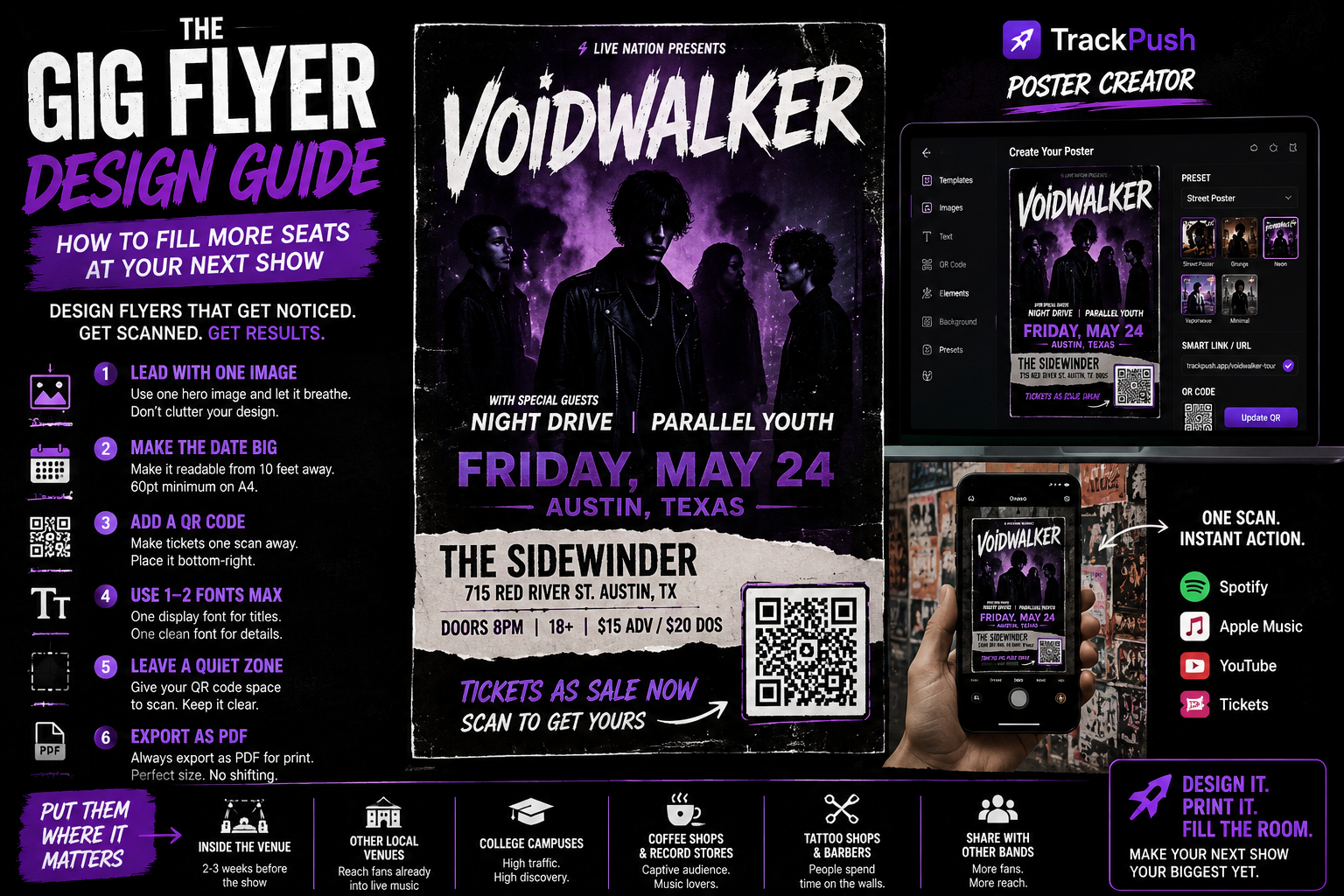
A release poster has one job: make a new listener curious enough to hear the music. It is not a press release, biography, credits page, and tour schedule squeezed onto one sheet.
Whether you are promoting a single, EP, mixtape, or album, this guide will help you choose the message, layout, QR destination, size, and printing setup.
Start with one campaign goal
Choose the action you want after the scan:
- Listen to the lead single
- Pre-save the upcoming release
- Open the complete album
- Follow the artist
- Buy vinyl, tickets, or merchandise
One poster should have one primary action. If you ask people to stream, follow, buy tickets, join a mailing list, and read your story, the design becomes hard to understand.
Pick the correct QR destination
Before release day, point the code to a pre-save or announcement page. On release day, a smart link is usually better because fans can choose their preferred service. For a Spotify-specific campaign, a direct song or album link can work.
Avoid printing a temporary URL that will stop working. Posters can remain visible for weeks. Use a destination you control or can update when possible.
Build a clear visual hierarchy
A strong album release poster normally needs five elements:
- Artist name
- Release title
- Cover artwork or campaign image
- Release date or Out now message
- QR code with a call to action
Put them in that order of importance. The exact layout can change, but the eye should know where to go.
Artist name
Use the same spelling and visual identity fans will see on streaming platforms. Make it readable from several feet away.
Release title
Give the title space. Do not place it across a busy part of the cover if the letters disappear.
Release date
Before launch, use a clear date. After launch, replace it with Out now or Listen now for any new batch you print.
QR call to action
Tell the viewer what happens: Scan to pre-save, Scan to hear the album, or Scan to listen.
Use the cover art without weakening it
Your cover art is already the recognition asset for the release. The safest layout is to use it as the hero image and build the typography around it.
If the art contains fine detail, do not put a QR code directly over the busiest area. Add a solid panel or quiet corner. High contrast improves both readability and scan reliability.
Match the style to the sound
- Electronic and hyperpop: saturated color, glow, sharp type
- Hip-hop and punk: high contrast, bold condensed type, texture
- Indie and alternative: editorial layouts, grain, restrained palettes
- R&B: rich color, elegant type, close photography
- Ambient and classical: generous space, subtle hierarchy, minimal copy
Style is useful only when the poster still communicates quickly.
Choose the right print size
Use A4 or US Letter for local bulletin boards, stores, and handouts. Use A3 for venues or spaces where people view from farther away. For a merch-table card, A5 or half-letter may be enough.
Read the complete music poster size guide before exporting a larger campaign.
Make the QR code dependable
For A4 or US Letter, start around 1 inch or 2.5 cm wide. Increase it when people will scan from farther away. Preserve a blank quiet zone and test the printed result.
Our QR-code best-practices guide explains size, contrast, distance, error correction, and testing in detail.
Design the poster in TrackPush
Open the TrackPush Poster Creator, upload the cover, choose A4 or US Letter, and add the release title, artist name, and date. Paste the smart link or streaming URL to generate the QR code.
Use a preset as a starting point, then adjust the typography to match the campaign. Export PDF for print and PNG or JPG for digital use.
Pre-launch, launch-day, and evergreen versions
You can get more mileage from the same design by making three versions:
Pre-launch
Use the date and Scan to pre-save. Place these posters one to three weeks before release.
Launch day
Change the message to Out now and point the QR code to the live release or smart link.
Evergreen
Remove the date and use a lasting message such as Hear the new album. This version can stay in stores, studios, and merch orders after the initial campaign.
Print checklist
- Export PDF at the correct page size
- Keep important text away from trim edges
- Print one proof before the full batch
- Scan the proof using more than one phone
- Check the destination without being logged into your own accounts
- View the poster from the distance it will be seen
- Ask permission before placement
Continue the music-poster cluster
- Make a music poster with a QR code
- Create a Spotify poster with a QR code
- Get music promotion poster ideas
- Choose sizes for print and social media
Sign in and open the TrackPush Poster Creator when you are ready to build the campaign.