Music Promotion · 9 min read ·
How to Make Lyric Videos Fast for TikTok, Reels & Shorts
A practical workflow for turning one song into multiple vertical lyric videos—without spending hours syncing text in a timeline editor.
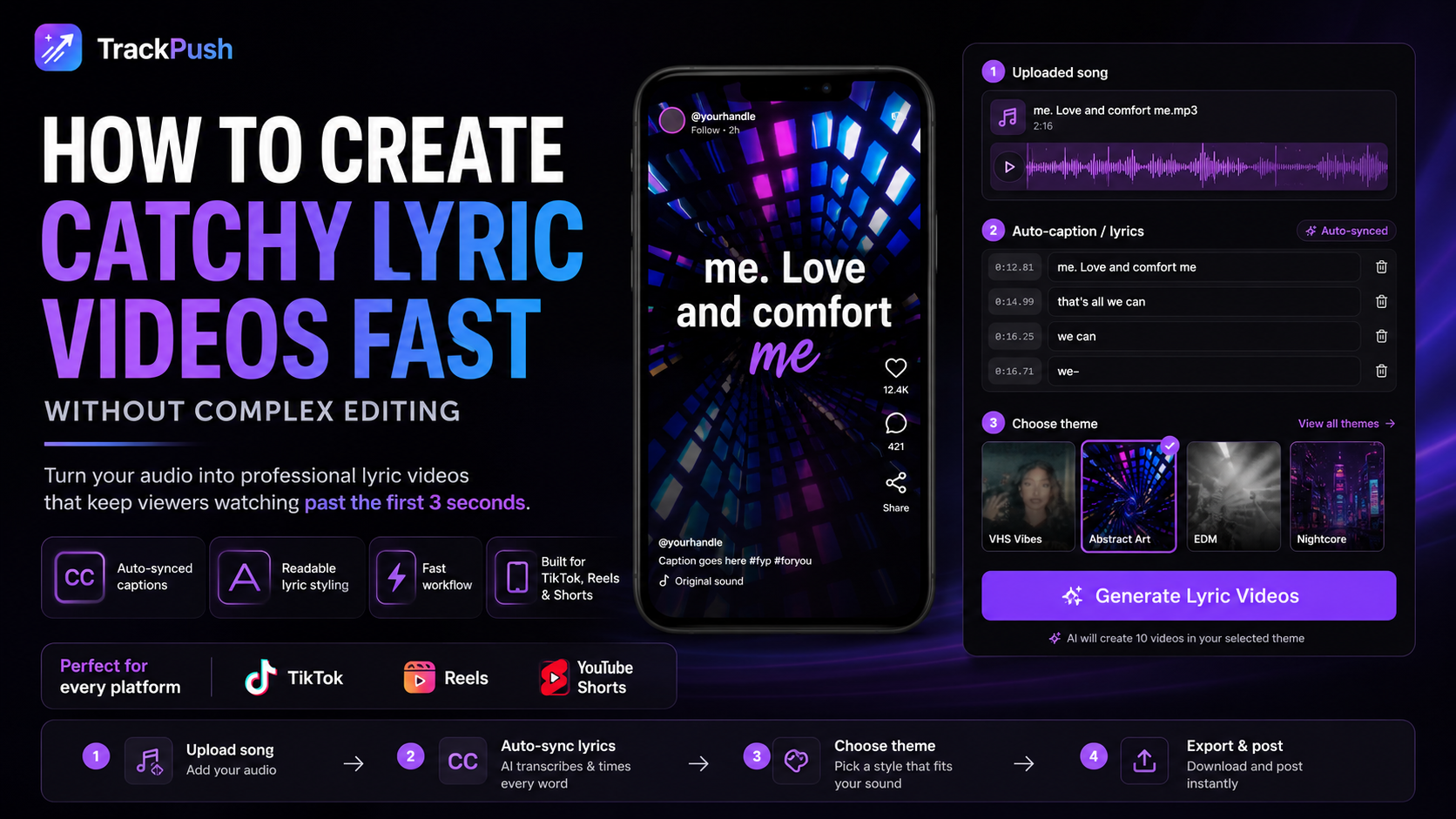
The fastest way to make a lyric video for social media is to choose one strong moment from your song, pair it with a vertical visual, add readable synced lyrics, and create several versions to test.
You do not need to animate an entire three-minute song. For music promotion, a focused short-form clip is usually the more useful starting point because you can publish it on TikTok, Instagram Reels, and YouTube Shorts, learn from the response, and make the next version better.
This guide shows you how to build that workflow without spending hours typing lyrics and moving text around a timeline.
Why short lyric videos are useful for independent artists
A lyric video gives a listener two ways to understand the hook: they can hear it and read it. That matters when the artist is unfamiliar and the song needs to communicate its emotion quickly.
Artists also face a practical problem: content takes time. A recent discussion in the music-marketing community captured the frustration clearly—making lyric videos in a traditional editor can turn into hours of manual work. The demand is not simply for more effects; it is for a faster, repeatable process.
Short-form video also travels well across platforms. YouTube officially accepts square or vertical Shorts up to three minutes, while Instagram continues to position Reels as a discovery and audience-growth format. You do not need to use the maximum length. Start with the part of the song that earns attention fastest.
The goal is not to promise a viral post. The goal is to make enough thoughtful variations to learn which lyric, visual, and opening line connect with your audience.
The fast lyric-video workflow
1. Choose one part of the song
Start with a single section instead of the full track. A useful first test is often 7 to 15 seconds, although the right length depends on the musical idea.
Look for:
- The chorus line people remember after one listen
- A lyric that makes sense without the rest of the verse
- The emotional turn in the pre-chorus
- A beat drop with a clear visual change
- A line that sounds like something a listener would send to a friend
- A question, confession, or unexpected detail that creates curiosity
Read the lyric without the music. If the line still creates a feeling or raises a question, it is a strong candidate.
For example, “new song out now” asks the viewer to care about the artist first. A specific lyric such as “I still take the long way home so I don’t pass your street” gives the viewer a story immediately.
2. Match the visual to the emotion
The background does not need to explain every word. It needs to feel like it belongs to the same world as the song.
Try matching mood to motion:
Song feeling · Visual direction
Heartbreak · Night drives, rain, empty streets, quiet close-ups
Romantic · Warm daylight, soft movement, travel memories
Rap or trap · Performance footage, city details, studio energy
EDM or house · Crowds, motion graphics, festival clips, fast movement
Introspective · Slow camera movement, landscapes, minimal visuals
Keep one visual identity per post. A consistent mood usually feels more intentional than five unrelated effects.
TrackPush lets you build a theme from your own clips or start with a curated public preset. Choose the aesthetic first, then let each generation pull a different combination from that visual library.
Explore the TrackPush theme library if you need a starting point.
3. Add lyrics that can be read on a phone
Readable beats complicated.
Use:
- Large text
- Strong contrast between the words and background
- Short lines instead of full paragraphs
- A position that avoids platform buttons and captions
- One consistent type style
- Timing that follows the vocal phrasing
The viewer should not need to pause the video to understand the lyric. If a line is too long, split it where the singer naturally breathes.
Automatic transcription can save time, but always review names, slang, ad-libs, and stylized pronunciation before posting. Music is harder to transcribe than ordinary speech, so the artist should remain the final editor.
4. Add a hook above the lyric when it adds context
A hook overlay is different from the lyrics. It is one short line that tells the viewer why the clip matters.
Examples:
- “I wrote this after seeing her with someone else”
- “For anyone who keeps pretending they moved on”
- “Would you send this to your ex?”
- “The lyric I almost removed from the song”
- “POV: the drive home feels longer without them”
Use a hook only when it adds useful context. If the lyric already creates immediate curiosity, extra text may make the frame crowded.
In TrackPush, the lyrics overlay and hook overlay are separate controls. That makes it possible to test the same song section with different opening ideas without rebuilding the whole edit.
5. Generate more than one version\n\nIf you already know you need several edits for the same release, use a bulk lyric video maker workflow so the repeated setup is handled once and the creative variables can change between versions.\n\n
Do not judge the song from one post.
Make a small test batch by changing one variable at a time:
- Same lyric, three different visual themes
- Same visual, three different hook lines
- Same hook, two different song sections
- Same edit, a shorter and longer cut
- Same concept, different first frame
Changing one variable makes the result more useful. If every element changes at once, you will not know what helped.
TrackPush is designed around this batch workflow. You can make a lyric video online, then generate additional variations from the same song and theme instead of reconstructing the project in a traditional timeline editor.
A simple three-video test for one song
If you are promoting a new single, begin with these three posts:
Version A: Lyric first
Open on the strongest lyric with a simple visual. No extra explanation. This tests whether the line can carry the post by itself.
Version B: Story first
Add one sentence of context above the lyrics: what happened, who the song is for, or why you wrote that line.
Version C: Mood first
Use the same song section with the most visually striking theme. Keep the words minimal and let the atmosphere introduce the track.
Post the three versions separately. Compare more than views:
- Did people watch long enough to reach the payoff?
- Which post earned shares or saves?
- Which lyric produced comments?
- Did profile visits or follows increase?
- Did anyone ask for the song name or release link?
A smaller post that earns relevant comments, saves, and profile visits may teach you more than a larger view count with no listener intent.
For a broader campaign, use the 30-day music content workflow to mix lyric videos with performance clips, stories, and behind-the-scenes posts.
Platform notes before you publish
TikTok
Keep the opening visually clear and make sure the important text is not hidden behind the caption or right-side controls. If your song is distributed to TikTok’s music library, select the official sound when appropriate so listeners can find the track page.
For a platform-specific plan, read how to promote music on TikTok using lyric videos.
Instagram Reels
Upload a clean vertical export and write a caption that gives the lyric context. Treat the Reel as a conversation starter: ask a real question related to the line instead of adding a generic “thoughts?” prompt.
YouTube Shorts
YouTube classifies square or vertical uploads up to three minutes as Shorts. If you use copyrighted material, make sure you have permission; YouTube notes that protected material can trigger a Content ID claim or removal. Artists should also be aware that Shorts longer than one minute with an active Content ID claim can be blocked globally.
See the full YouTube lyric-video and Shorts guide before preparing a longer upload.
Common mistakes that slow artists down
Editing the entire song first
A full-length lyric video can be valuable, but it is a larger project. Test the strongest short sections first so your promotion does not wait on a perfect three-minute edit.
Choosing effects before choosing the lyric
The lyric is the idea. The effects support it. Start with the line and emotion, then choose the visual treatment.
Publishing the same exact file repeatedly
Repetition of the song can build familiarity, but the presentation should keep evolving. Change the visual, context, first frame, or featured lyric so each post gives the audience a new reason to watch.
Treating automatic transcription as final
Always proofread. One wrong word in the emotional centerpiece of the song can distract the listener and weaken trust.
Chasing views without learning
Views are an outcome, not a diagnosis. Track what people saved, shared, replayed, or commented on, then use those signals to plan the next batch.
Frequently asked questions
What is the fastest way to make a lyric video?
Use a short section of the song, a ready-made vertical theme, automatic lyric transcription, and a batch generator. Review the words and timing, then export several variations instead of editing one video from scratch.
How long should a lyric video be for social media?
There is no universal perfect length. Begin with the shortest cut that completes the musical idea—often 7 to 15 seconds for an initial hook test—then compare it with a longer version. YouTube allows square or vertical Shorts up to three minutes, but the maximum is not automatically the best choice for every song.
Do lyric videos help artists get more views?
They can make a song easier to understand and share, but no format guarantees views. Performance depends on the lyric, opening, visual, audience, timing, and distribution. Use lyric videos as a repeatable testing format, not a promise of virality.
Can I make lyric videos without CapCut or Premiere Pro?
Yes. A browser-based lyric video maker can handle the visual assembly, beat-aware cuts, transcription, and burned-in captions. You should still check the lyrics and make the creative decisions.
Can one lyric video work on TikTok, Reels, and Shorts?
A clean vertical video can be repurposed across all three. Review each platform’s text-safe areas, caption, sound selection, and copyright rules before publishing.
Turn one song into your next test batch
You do not need a bigger editing timeline. You need a repeatable system:
- Pick the lyric
- Match the emotion
- Add readable captions
- Test a hook
- Generate variations
- Publish and learn
Start making lyric videos with TrackPush and turn the strongest moment in your song into multiple vertical posts for TikTok, Instagram Reels, and YouTube Shorts.
Turn the workflow into a finished video
After choosing the hook and visual, use a lyric video generator to remove the repeated assembly work. TrackPush is designed for artists who want to create multiple short-form lyric videos from the same release setup rather than rebuild every edit manually.