YouTube · 5 min read ·
How to Make a Lyric Video for YouTube (and Shorts)
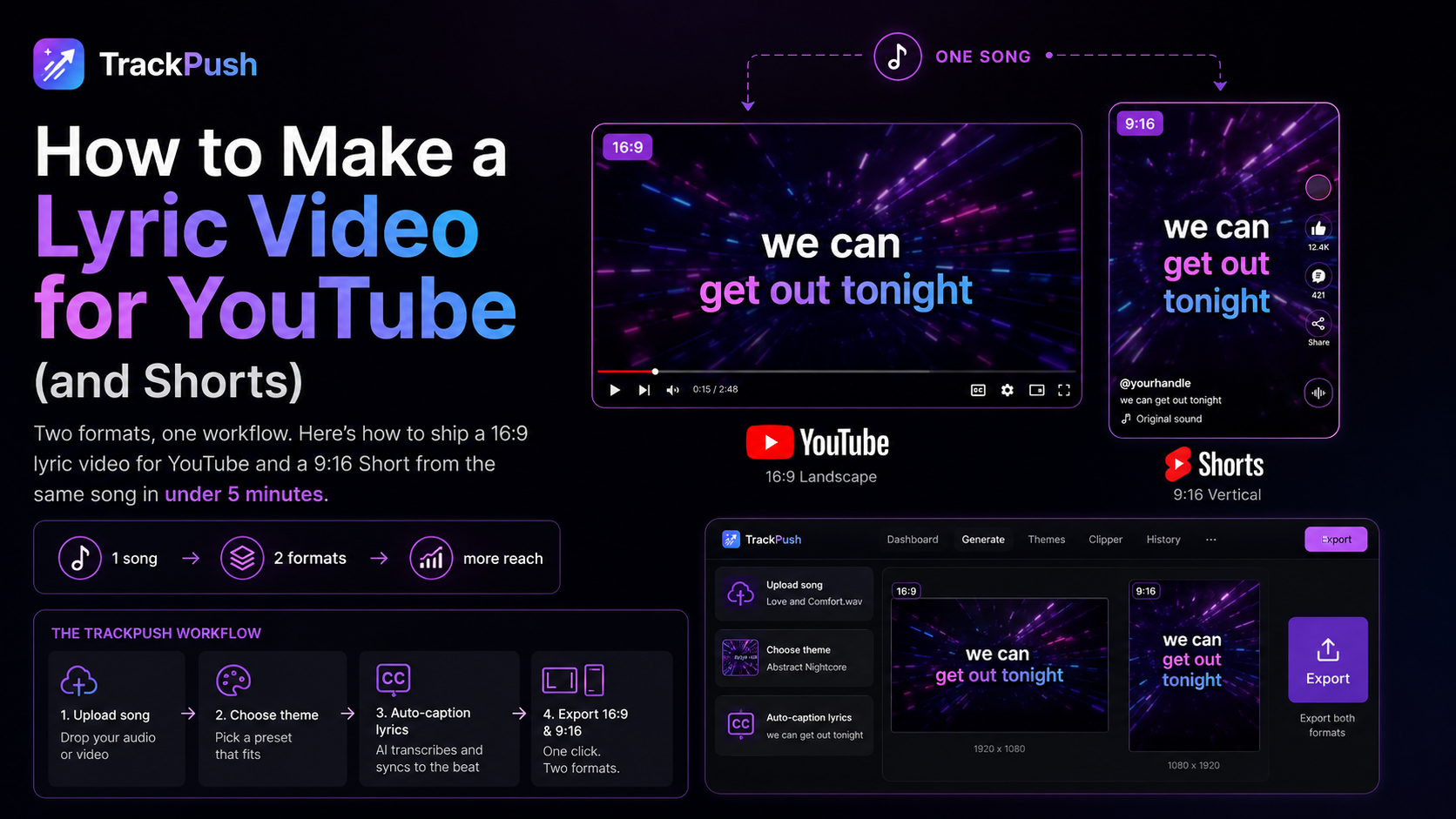
Two formats, one workflow. Here is how to ship a 16:9 lyric video for YouTube and a 9:16 Short from the same song in under 5 minutes.
Why YouTube + Shorts together
YouTube is still where fans search "[song name] lyrics". Shorts is where new fans discover the hook. Ship both and the song works twice as hard.
The 16:9 vs 9:16 problem
Most lyric video tutorials only solve one format. You either get a widescreen YouTube video that looks awkward on phones, or a vertical Short that crops your typography.
TrackPush exports a 9:16 lyric video by default — perfect for Shorts. For the main YouTube upload, use the same generation as a Short upload (#Shorts in the title), or letterbox the vertical export for a 16:9 main video.
Step-by-step
- Open the AI lyric video maker.
- Pick a theme — anime, neon, brat, whatever fits.
- Upload the song. Lyrics auto-transcribe.
- Generate. Cuts land on the beat, captions sync to lyrics.
- Export and upload as a YouTube Short with the song title in the description.
Tips that move the needle
- Hook the first 1.5 seconds with the loudest lyric.
- Pin a comment with a link to the full song.
- Use the song title as the Short's title verbatim — that is what people search.