Mobile · 4 min read ·
How to Make a Lyric Video on Your Phone
Skip the desktop apps. Here is how to make a full lyric video on iPhone or Android in about 90 seconds, no After Effects required.
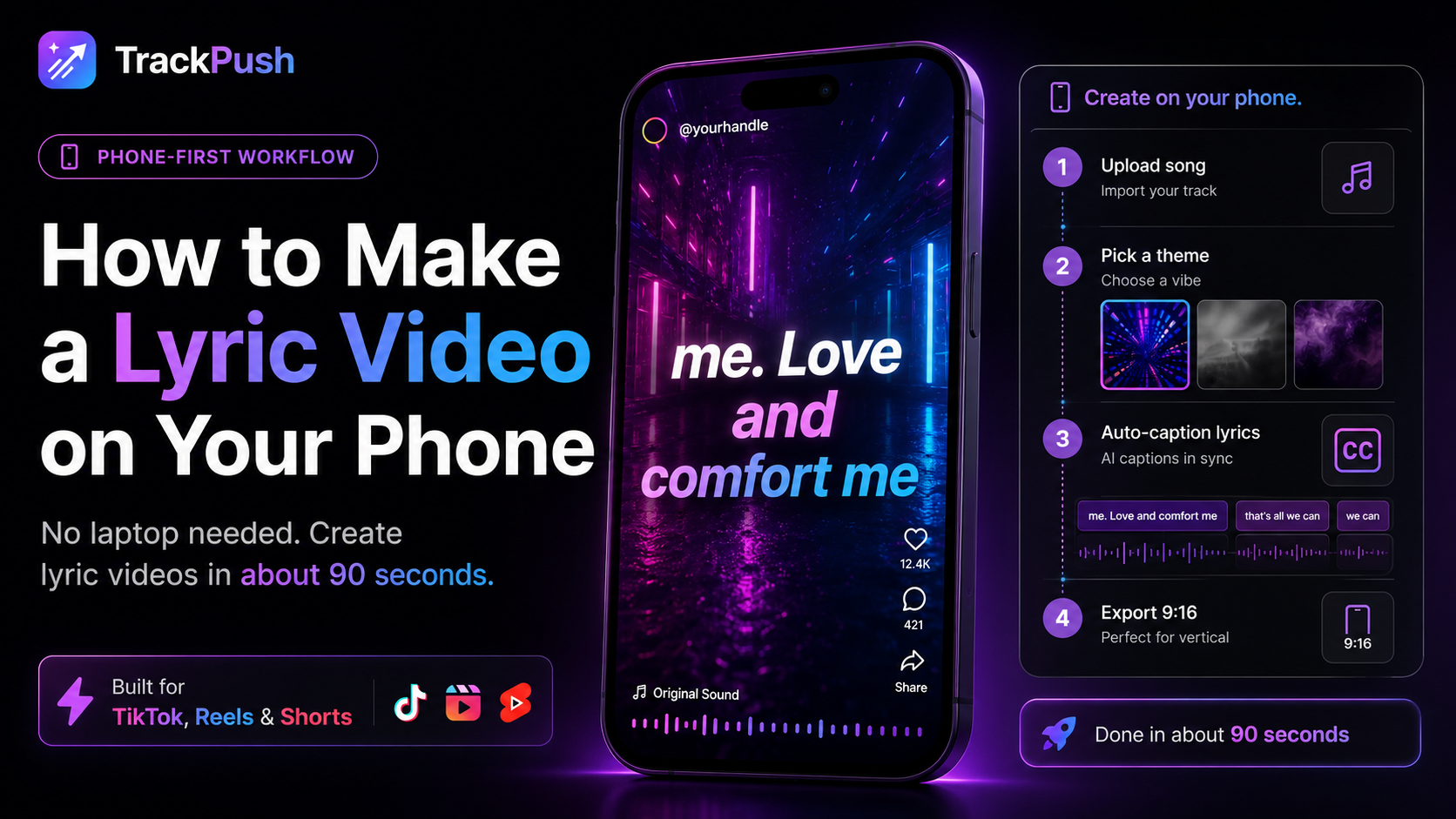
You do not need a laptop
Most lyric video tutorials assume you have a Mac and After Effects. You do not. TrackPush runs in your phone browser and exports a finished 9:16 MP4 straight to your camera roll.
The 90-second workflow
- Open trackpush.app in Safari or Chrome.
- Sign in with email or Google.
- Pick a theme from the curated catalog.
- Upload your song — straight from Files or Voice Memos.
- Hit generate. About 60 seconds.
- Save to camera roll and post directly to TikTok / Reels / Shorts.
Why a phone-first workflow wins
You can post from the same device you created on — no AirDrop, no transfer. And every generation is mobile-ready 9:16 with burned-in captions, so it works the moment it lands in your camera roll.
Making a Suno lyric video on your phone
Download a song you are permitted to use from your own Suno Library, then upload that audio file through the same mobile workflow. Read the Suno lyric video maker guide for transcript checks, rights guidance, and ideas for turning the song into multiple posts.