Music Marketing · 8 min read ·
How to Create 10 Lyric Videos From One Song
A practical batch workflow for turning one song into 10 different lyric videos for TikTok, Instagram Reels, and YouTube Shorts without rebuilding every edit from scratch.
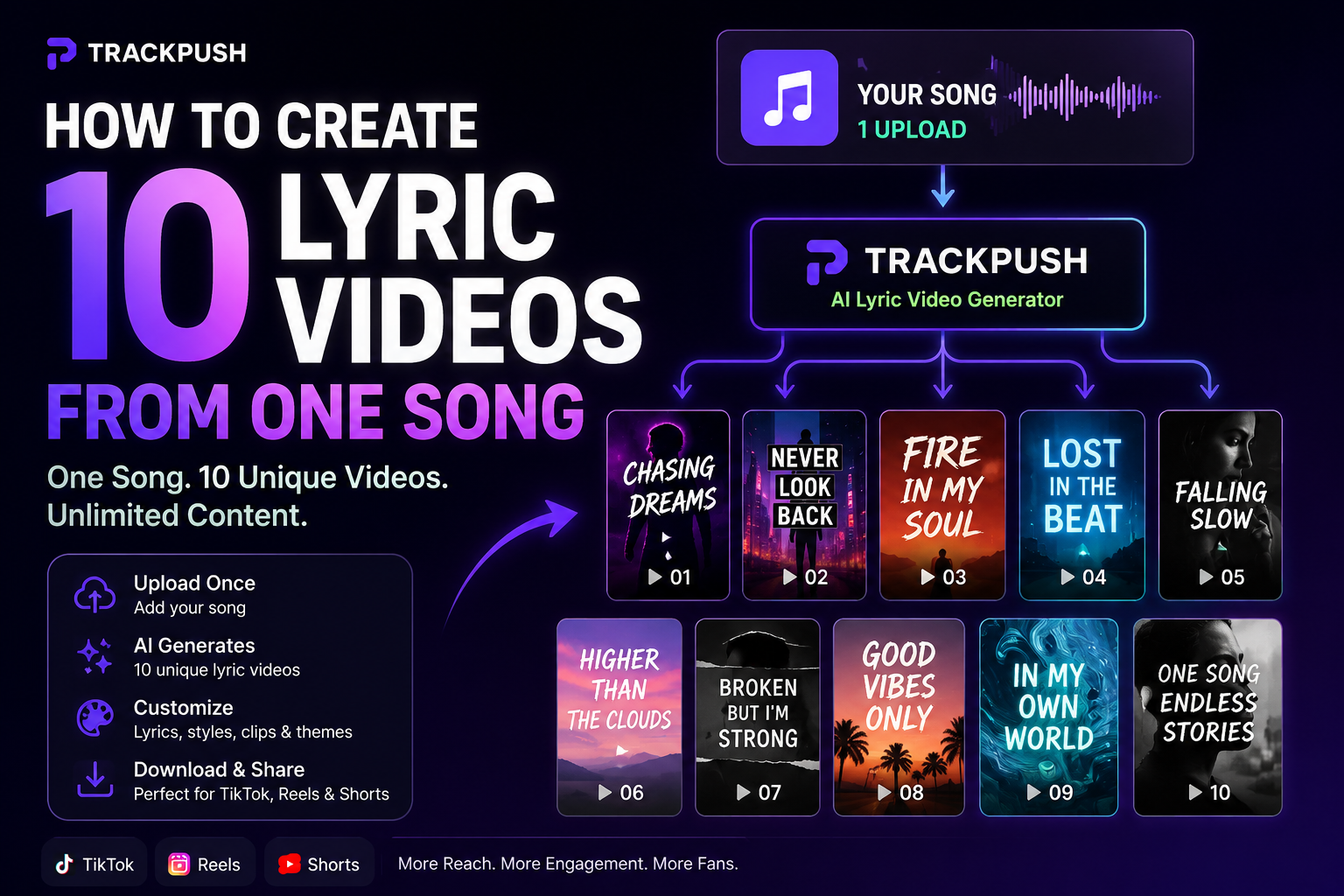
If you are promoting a single on TikTok, Instagram Reels, or YouTube Shorts, one lyric video is rarely enough to learn what people respond to.
The faster approach is to treat the song like a campaign: pick several strong moments, reuse one visual system, and create a controlled batch of lyric-video variations.
That does not mean posting the same file ten times. The point is to make ten useful tests from one song without repeating the slowest parts of editing ten times.
If you want the production side handled in one workflow, TrackPush's bulk lyric video maker is built specifically for this use case.
Why make multiple lyric videos for the same song?
Different listeners can connect with different parts of the exact same release.
One person may stop for the chorus. Another may care about a vulnerable verse line. Someone else may react to the beat drop, the visual mood, or the first line of text on screen.
Creating multiple versions gives you more chances to learn which combination works best for your audience.
A useful batch can vary:
- The lyric or song section
- The first visual
- The order of clips
- The visual theme
- The hook text above the lyric
- The length of the edit
- The pacing of the cuts
Keep enough elements consistent that the results can teach you something.
Step 1: Choose three strong moments from the song
Do not start by asking, "Which part is the chorus?"
Ask which moments can make sense to someone who has never heard the full song.
Good candidates include:
- A line that sounds like a confession
- A question that creates curiosity
- The most quotable lyric
- A strong pre-chorus turn
- A beat drop
- A vocal run or chop
- A line that describes a very specific situation
For example, a lyric like "new song out now" requires the viewer to already care about the artist. A line like "I still take the long way home so I don't pass your street" gives the viewer a story immediately.
Pick three moments. Those become the foundation of the batch.
Step 2: Build one visual library
You do not need ten separate shoots.
Collect 10–20 vertical clips that share a visual world. That could be:
- Night drives
- Studio footage
- Concert clips
- Ocean and sunset footage
- City-at-night visuals
- Abstract loops
- Performance footage
- Lifestyle moments
The goal is consistency without duplication.
TrackPush calls this reusable clip collection a theme. You can build your own or browse public TrackPush themes.
Step 3: Decide what will stay constant
A useful test batch changes a few variables, not everything.
For example, keep these constant:
- The song
- Font style
- Overall color direction
- Video aspect ratio
- Visual library
Then change:
- Song section
- Clip order
- Hook text
- First frame
That makes the batch feel like one release campaign instead of ten unrelated videos.
Step 4: Build the first three lyric-first versions
Start with three simple versions using the three song moments you selected.
Video 1: strongest lyric
Open directly on the line you think is most memorable. Keep the visual clean and let the lyric do the work.
Video 2: emotional turn
Use the line that changes the meaning or emotion of the song. Try a different first clip while keeping the same aesthetic.
Video 3: musical moment
Use the beat drop, vocal chop, or high-energy section. Let the visual pacing carry more of the opening.
Now you already have three distinct posts from the same song.
Step 5: Add three hook-led versions
Take the same song sections and add a short line of context above the lyrics.
Examples:
- "The lyric I almost deleted"
- "For anyone pretending they moved on"
- "Would you send this to them?"
- "This part sounds different at 2 a.m."
- "POV: you finally stopped texting first"
The hook should add meaning, not cover the screen with extra copy.
That takes the batch from three videos to six.
Step 6: Create two visual tests
Pick your strongest lyric and keep it exactly the same.
Then create two different visual interpretations.
For example:
- Version 7: night-drive theme
- Version 8: ocean/sunset theme
Now you are testing whether the visual world changes how the same lyric lands.
This is one reason a bulk lyric video maker is more useful than creating every post from a blank timeline: the repeated setup stays consistent while the variable you care about changes.
Step 7: Make one short cut and one longer cut
Use your strongest combination twice:
- Version 9: a tight 7–10 second edit
- Version 10: a longer version that gives the musical idea more room
Do not assume shorter is always better. The point is to compare.
At this point you have ten posts from one song without needing ten independent concepts.
A simple 10-video batch
Video · Main variable
1 · Strongest lyric
2 · Emotional lyric
3 · Beat/drop moment
4 · Hook text A
5 · Hook text B
6 · Hook text C
7 · Visual theme A
8 · Visual theme B
9 · Shorter edit
10 · Longer edit
This is much more useful than exporting ten nearly identical files.
How TrackPush handles the batch workflow
TrackPush is designed around repeated short-form creation rather than one-off editing.
A typical workflow is:
- Upload the song
- Build or choose a visual theme
- Add synced lyrics
- Choose the song section
- Generate multiple variations
- Review the transcript and visual combinations
- Export or schedule the versions you want to test
You can see the dedicated bulk lyric video maker page for the full product workflow, or use the broader lyric video maker if you are creating a single edit first.
Do not post all ten at once
Batch creation does not mean flooding your audience with ten near-identical posts in an hour.
Spread the videos across your release campaign.
You might post:
- 3–5 times per week
- One strong variation per day during release week
- Different versions across TikTok, Reels, and Shorts
The cadence depends on your audience and how much content you can sustain.
What should you measure?
Raw views are useful, but they are not the only signal.
Compare:
- Average watch time
- Completion rate where available
- Replays
- Saves
- Shares
- Comments
- Profile visits
- Follows
- Link clicks or stream changes where you can measure them
If one lyric repeatedly earns saves, create more around that lyric.
If one visual direction consistently improves retention, expand that theme.
The purpose of the batch is learning as much as it is publishing.
How this fits into a larger content system
Ten lyric videos can become the base of a much larger release campaign.
From there you can add:
- Behind-the-scenes footage
- Performance clips
- Story videos
- POV posts
- Visualizers
- Fan reactions
- Release reminders
Read the music content batching guide if you want to expand the ten lyric videos into a full month of content.
The bulk music promo video guide covers the bigger content-engine strategy, while the 1 song, 30 posts guide shows how to repurpose the campaign across formats.
Frequently asked questions
Can I make 10 lyric videos from the same song without them looking duplicated?
Yes. Change meaningful variables such as the lyric, hook, visual order, background theme, first frame, and length. The goal is controlled variation rather than duplication.
Should every lyric video use a different song section?
No. Reusing the strongest section with different visual or contextual treatments can be useful because it lets you compare the presentation while keeping the music constant.
Do I need ten different clips?
Not necessarily. A reusable library of 10–20 clips can create many combinations. More clips increase variety, but visual consistency is usually more useful than random volume.
What is the fastest way to make the batch?
Use a workflow where the song, lyrics, visual library, and formatting are configured once, then generate variations from that setup. That is the main purpose of a bulk lyric video maker.
Turn one song into a real test campaign
The goal is not ten videos for the sake of having ten videos.
The goal is ten chances to understand which part of your song, which visual direction, and which framing make a new listener stop.
Start with three song moments. Build one visual world. Change one variable at a time. Publish over time. Learn from the results.
Then use TrackPush's bulk lyric video maker to make the production side fast enough that you can keep testing without spending the entire week editing.
Start with the main lyric video generator
For a single automated workflow before expanding into a larger batch, start with the TrackPush lyric video generator. When you are ready to scale one song into many variations, the bulk lyric video maker covers the batch strategy in more depth.
Making the batch from a Suno song
If the song was created in Suno, first confirm that you have permission to use the downloaded audio and lyrics. Then follow the Suno lyric video maker guide for the download, caption-review, and rights workflow before expanding the song into multiple variations.